
Features and
Build custom workflow solutions that connect to the tools you already use
Form builder
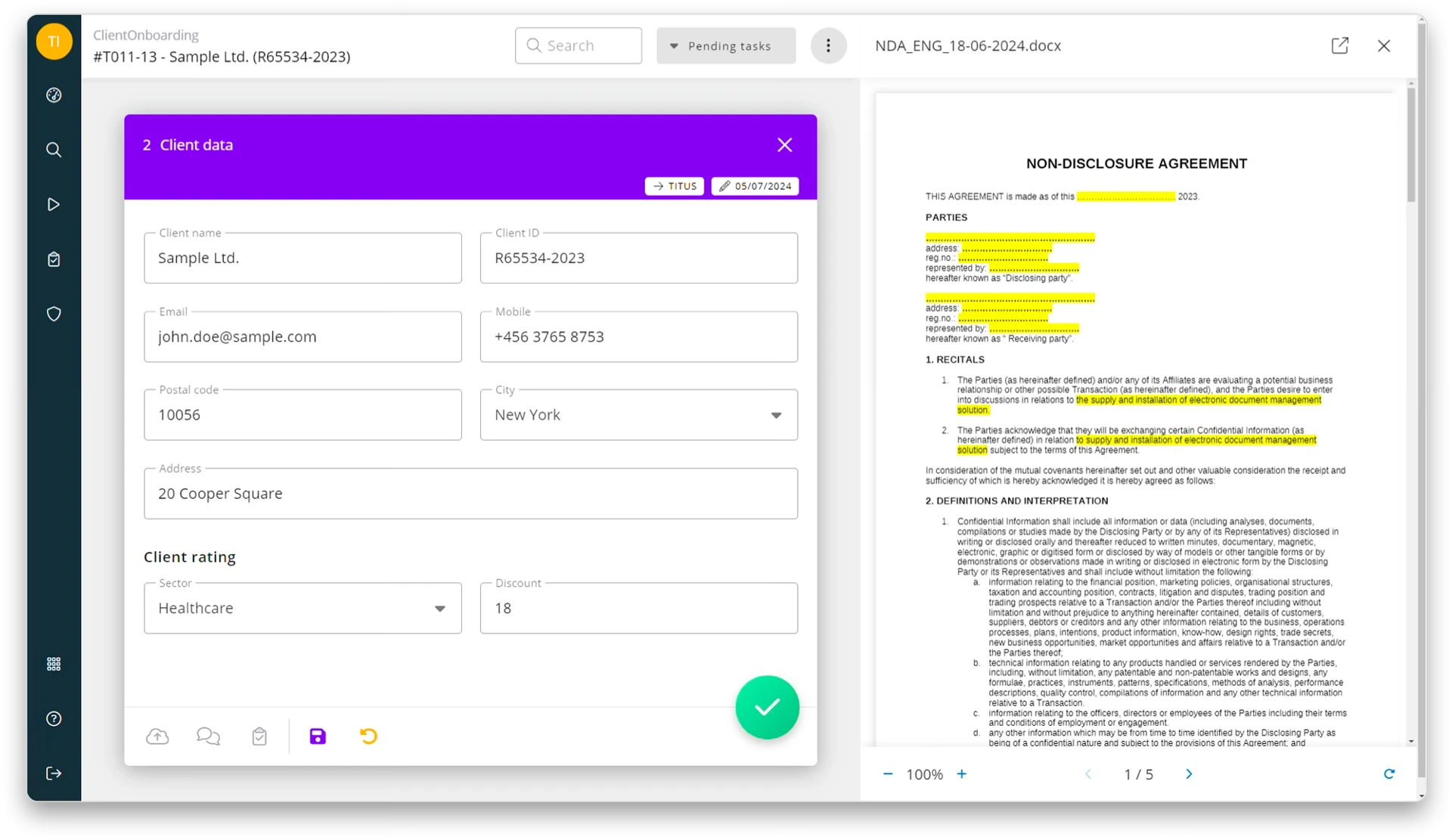
From simple surveys to complex application forms. In just minutes, you can create the forms you need with an easy-to-use form builder
Drag & Drop Form Builder
WYSIWYG – Each form is unique in design and purpose. The Itiner Digital Platform form builder allows you to create what you actually need.
Form Fields for any Type of Data
Create better forms with our rich set of configurable form fields: file uploads, numbers, text, dates, multi-select and single-select fields, signature, tables, lookup fields, approval fields and more.
Complete Secure Over Your Data
Your data is protected and stored in encrypted form. Access rights can be configured easily, including read, write and hidden permissions. You can control who has access to each type of data, assign administrator rights where needed and define clear rules and roles.
Signature Field
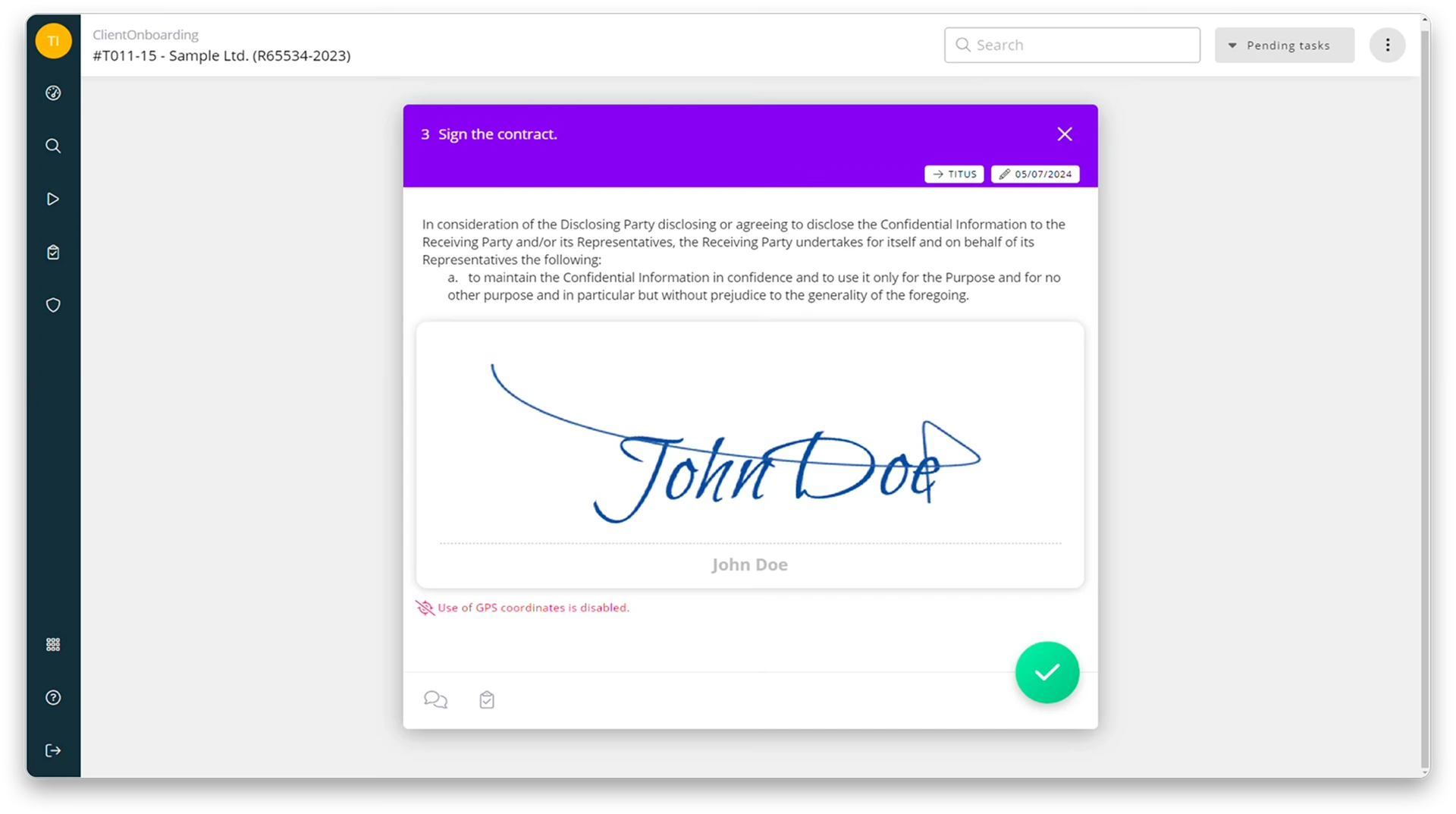
Collect signatures on forms during the approval process. Once signed, the signature is automatically embedded in the PDF file, marking the document as final and ready to print or share with a client.
Remote Lookup Fields
Retrieve data from external systems or built-in internal master data tables and automatically populate any form.
Repeating Sections: Tables
Create invoices, purchase orders, expense reports, timesheets and other table-based processes using form tables with built-in field calculations.
Powerful Workflow Engine
Create and manage workflows through a simple, intuitive no-code interface
Design Quickly and Intuitively
Model any business process or case in minutes using a dynamic visual editor. With no-code design and editing tools, drag-and-drop features and flexible workflow modelling, you can quickly define anything from simple checklists to complex operational processes and multi-step approvals.
Complex Conditional Logic
Set up multi-level conditional rules using Excel-based decision tables to trigger different tasks or parallel actions. Support both sequential and parallel workflow execution.
Automated Task Assignment
Automatically assign tasks to the right users based on their workflow role, such as Starter, Key User or Manager, form selections or simple and complex logical conditions. Built-in vacation handling, delegation and substitution rules help ensure that work always reaches the right person.
Dashboard
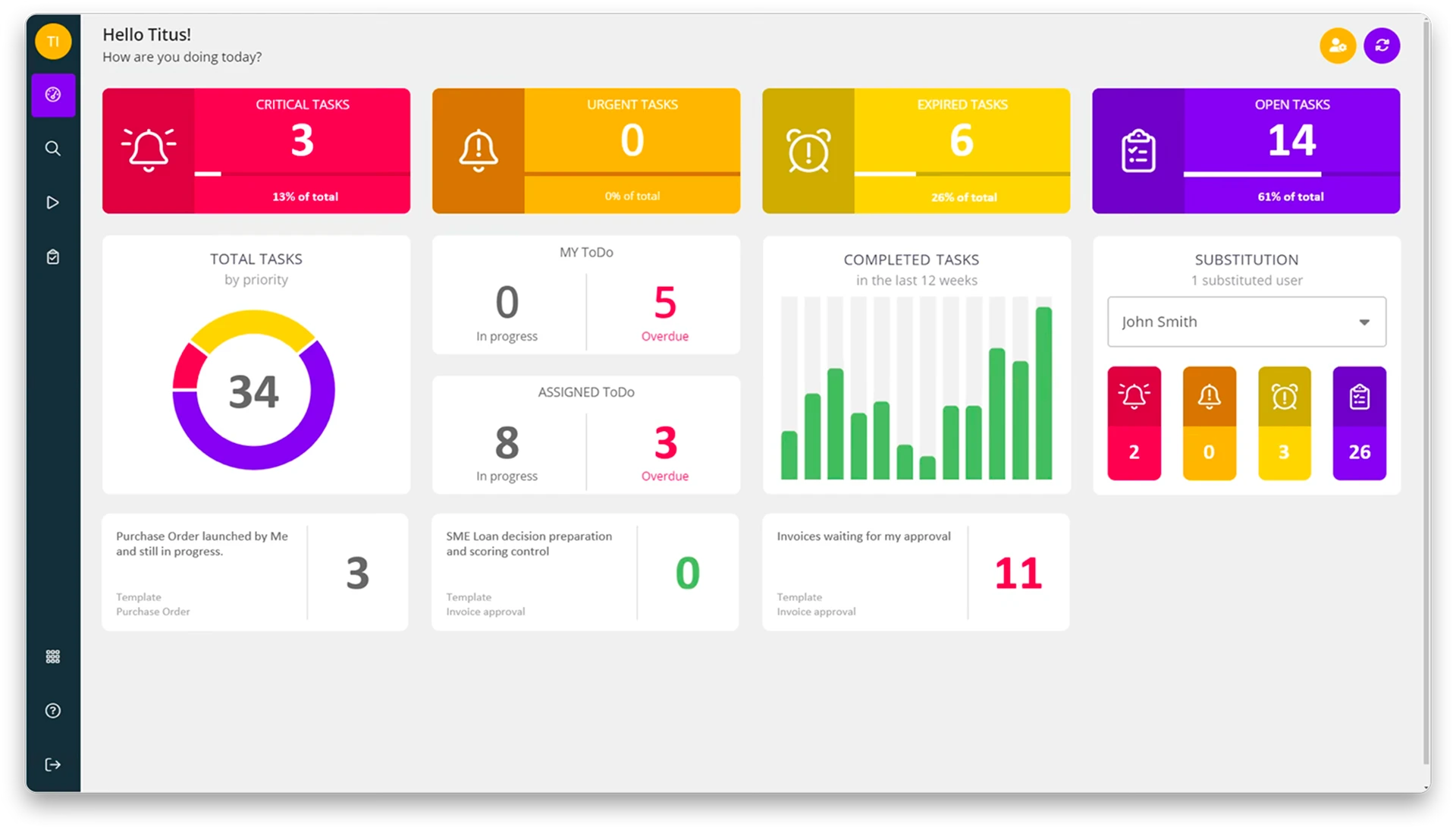
Gain real-time visibility into workflow runs and task completion with the Dashboard. View all your tasks from all workflows in one place. Your inbox is updated in real-time and organized by a tasks’ due date or the related workflows.
Dynamic Deadlines
Support SLAs by setting deadlines in days, weeks or months, calculated from the completion of a previous task, the start of a workflow or even the workflow deadline. Use a business calendar to automatically account for non-working days and public holidays.
Vacation, Substitution
The users can choose to assign tasks to other users if they are on vacation or away for an extended period.
Notifications
Keep stakeholders informed with conditional e-mail notifications triggered whenever a record is submitted or updated, including relevant attachments where needed.
Communication, Chat
Keep task-related communication where the work happens. Collaborate with everyone involved in a workflow, comment on tasks, chat in real time and attach files, images and documents.
Save & Resume
Make longer forms easier to complete by allowing users to save their progress, continue where they left off or delegate completion to another user.
DMS & Content Service
Capture information from a wide range of sources and turn it into structured data with automated import and indexing routines, reducing manual effort
Single/Bulk Scanning
Scan, store and manage digital and paper-based documents with ease on the Itiner Digital Platform. Once uploaded, your business documents are securely stored and easy to search.
Flexible Search
Find the information you need quickly by entering search terms, selecting keywords from drop-down lists and using wildcards or logical operators to search across document content and indexed metadata.
Data Enrichment
Enrich document metadata with data from other applications, databases or Excel files to ensure a consistent taxonomy across your organisation.
Barcode Recognition
EAN, QR or postal codes: the Itiner Digital Platform recognizes a variety of bar codes, reads them and uses the information for document indexing.
OCR and Full-Text Search
The Itiner Digital Platform combines structured index metadata with full-text indexing, enabling precise, customisable searches across all content.
Version Control
Keep full control over the lifecycle of generated and uploaded documents with built-in versioning. Every version is tracked, easily accessible and retrievable whenever needed.
Linked Documents
View related documents instantly, directly from the document you are working with.
Document Designer
Generate customised Word and PDF documents from templates based on user input. Reduce manual work and improve compliance with pre-approved templates, standardised language and consistent document structures.
Drag and Drop Files
Add files to the Itiner Digital Platform directly from a Windows folder using drag and drop. Share and protect information or start a workflow in just a few clicks.
Encryption
Protect sensitive information with encrypted document storage, HTTPS-secured data traffic and VPN-protected external access to the organisation’s network.
Sophisticated Permissions
Control which documents and metadata users can store, retrieve, edit, export and remove from file cabinets.
Digital or Physical Stamps
Add digital stamps or annotations to documents without altering the originals.